
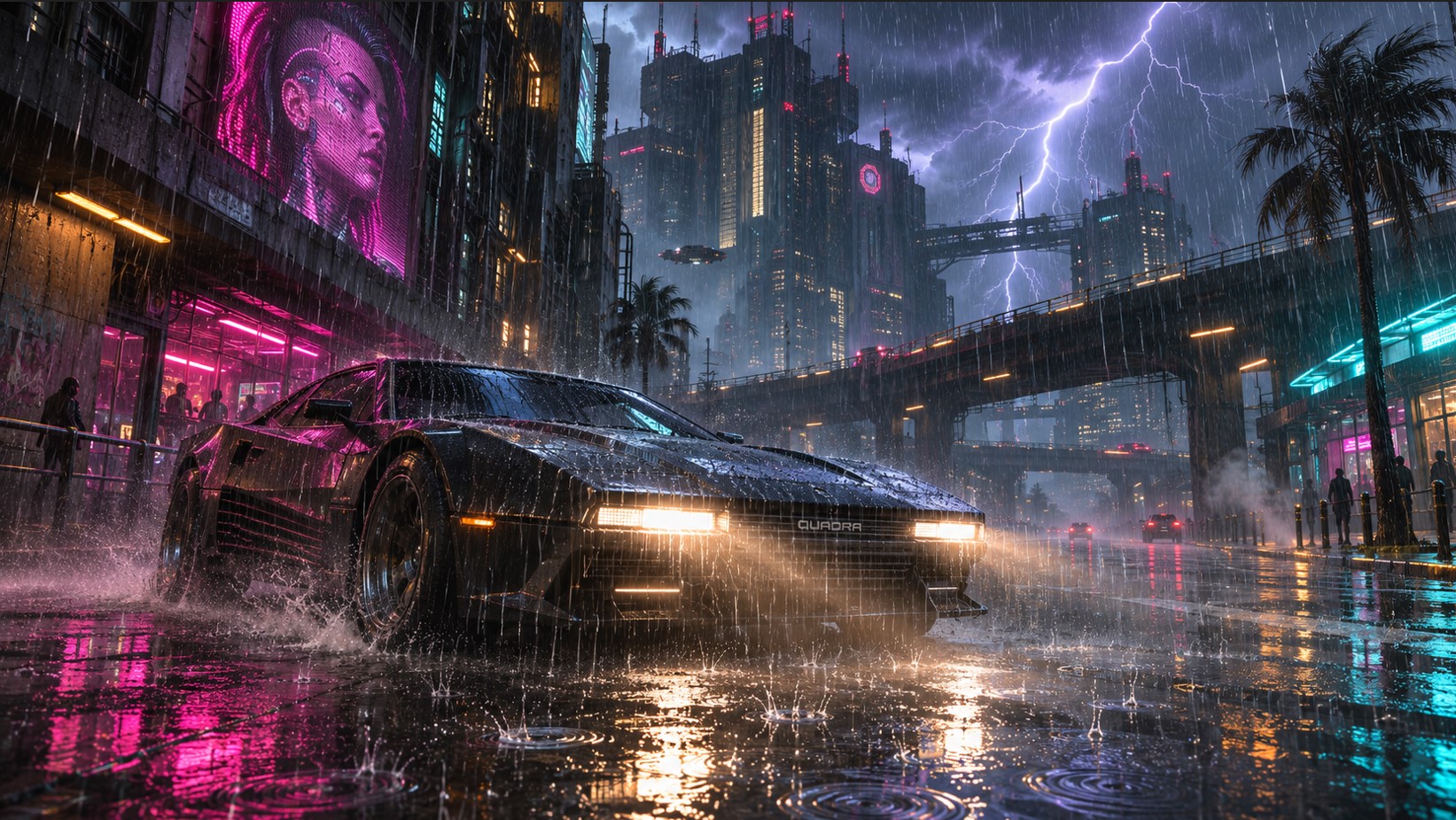
The Cyberpunk 2077 Mod Torrent Makes Night City’s Rain Real for the First Time
Night City has always been a rainy place that didn’t rain properly. You’ve seen it even if you never articulated it: the water looks painted onto the screen rather than falling around you. Step under an awning and the whole sheet vanishes at once. Drive at speed and the drops don’t care. It’s the one piece of Night City’s atmosphere that never quite sold the illusion. CyanideX released Torrent on Nexus Mods a little over a week ago, and it fixes that at the rendering level rather than papering over it. Four separate systems, a handful of settings, and a performance cost small enough that the author measures it in single frames.
Here’s what it actually does, how to set it up, and what to do when it doesn’t work – because a few people are hitting that right now.
Why Vanilla Rain Always Looked Wrong
Worth understanding the problem before the fix, because it explains why every previous rain mod only went so far.
Cyberpunk 2077 draws rain as flat cards of streaks. They’re 2D textures positioned in front of the camera, which is a cheap and common technique – and it reads exactly as what it is. A sheet hung between you and the world, rather than water occupying the space you’re moving through.
That’s why the old trick of walking under cover killed the entire effect at once, and why rain never interacted with anything. There was nothing to interact with.
Torrent hides the game’s flat rain and its distant rain cards entirely while it’s drawing, and replaces them with four systems that behave like weather.
System One: Rain That Falls in Depth
The core of the mod. Individual 3D droplets fall through the world, lit by Night City’s lights as they pass through them.
The part that matters most is that the rain now respects geometry. It stops where the game’s own rain stops, so it won’t fall inside buildings or through walls, and it stays off you when you’re under a roof. But it isn’t a binary on/off switch anymore – strong winds can blow rain under bridges and other partially open areas, which is the detail that sells it.
Drops splash on the ground and on roofs. They throw fine spray and leave small rings on surfaces. Heavy rain adds mist in the distance.
The mod also covers the game’s different weather states, including Toxic Rain and Rainy Night, rather than only handling standard showers.
System Two: Lightning Where No Two Strikes Match
This is the showpiece, and it’s more elaborate than the mod’s name suggests.
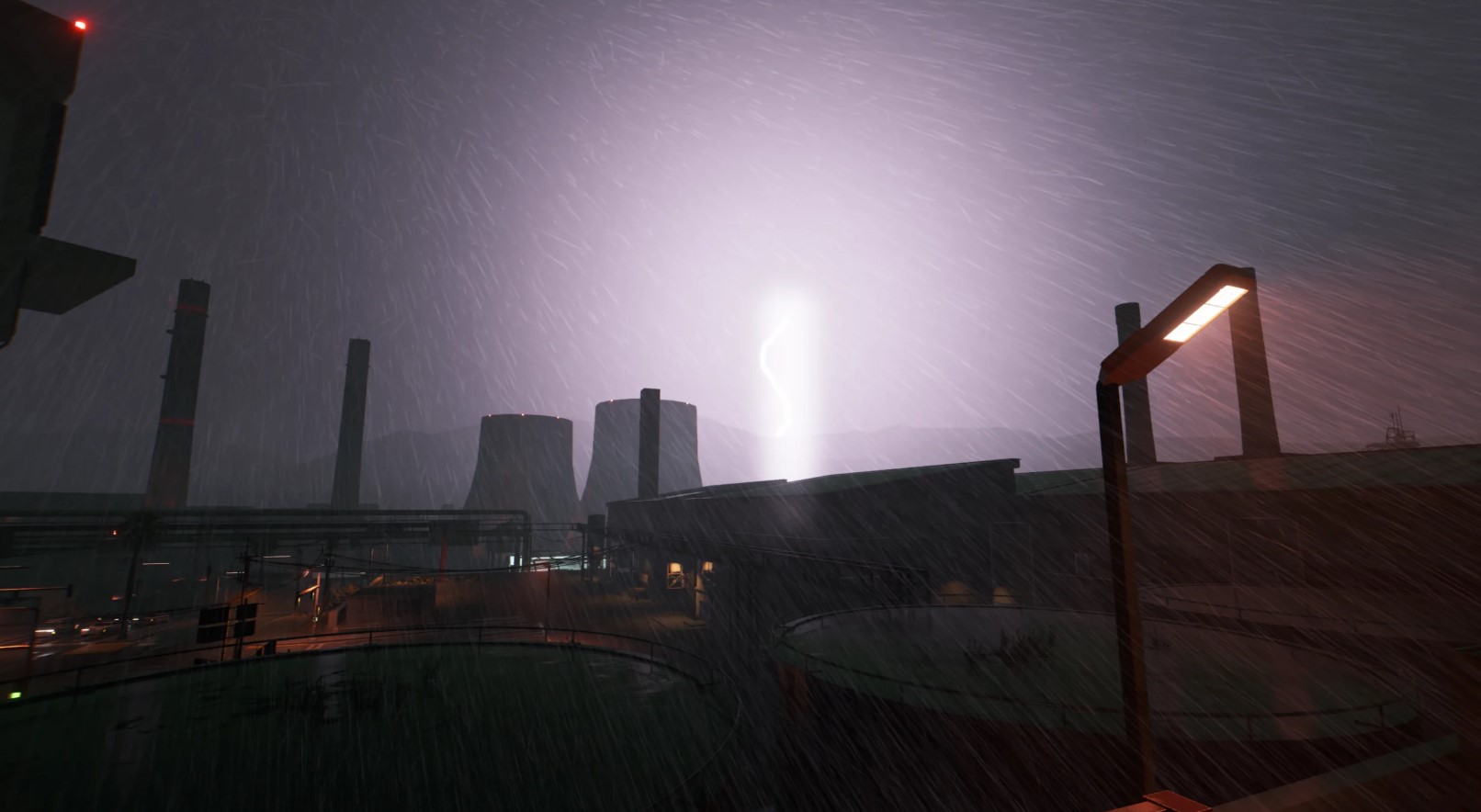
Each strike generates its own large, branching bolt. Before it lands, a faint line forms in the clouds – a visible build-up rather than a sudden flash. The main bolt then flashes and flickers before fading out, and thunder rolls in afterward on a delay.
Crucially, no two strikes look the same. They’re generated rather than played back from a small library of animations, which is why you don’t get the repetition that usually gives weather effects away after twenty minutes.
There’s also a bindable Lightning Strike Key in the settings. Set it, press it while it’s raining, and you get a strike on demand. That’s a photo mode feature in everything but name, and it’s clearly why it exists.
System Three: Tyre Spray
The one nobody asks for and everybody notices.
Driving on wet roads now throws up drops and fine spray from your wheels, trailing mist behind the car that drifts away with the wind. The faster you drive, the more spray you generate.
Better still, it isn’t limited to your own vehicle. The six nearest moving cars also generate spray from their rear wheels, which means traffic on a wet night suddenly has a sense of weight it never had before. Six is a sensible cap – enough to populate your field of view, few enough to stay cheap.
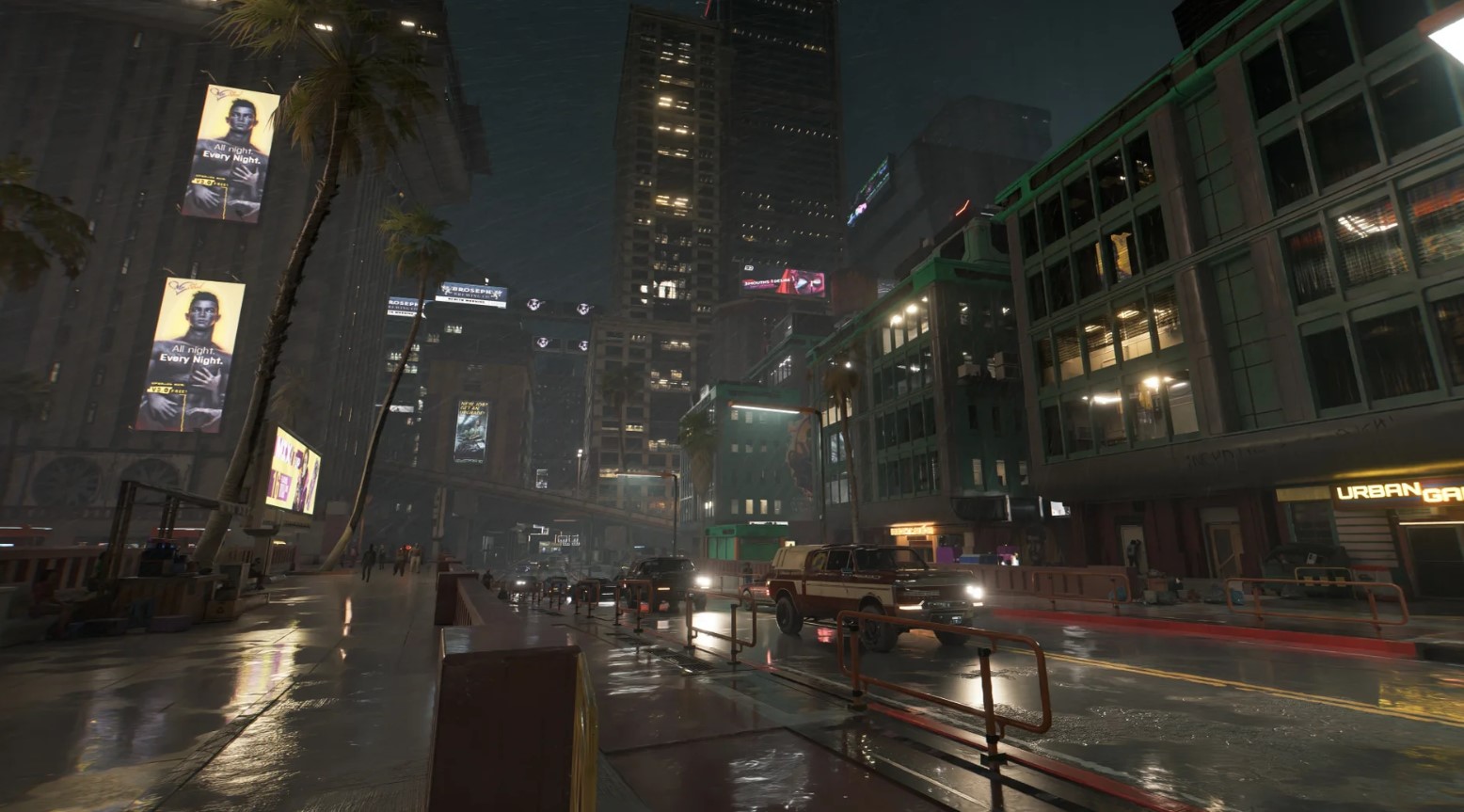
System Four: Storm Mist
The quietest system and the easiest to turn off if you’re hunting frames. During storms, wind-blown mist rolls through, adding depth to the middle distance.
It’s also one of the three recommended levers if you need to claw back performance, which tells you it’s the most expensive of the four.
What the Cyberpunk 2077 Torrent Mod Needs to Run
This is a script-extender mod for Cyberpunk 2077, not a drop-in texture pack, so the dependency list matters.
| Requirement | Purpose | Optional? |
| RED4ext | The script extender Torrent runs as a plugin for | Required |
| redscript | Torrent has a small redscript side | Required |
| Codeware | Framework dependency | Required |
| Mod Settings | Adds the in-game configuration menu | Optional – defaults apply without it |
Torrent’s shaders are built into the plugin itself, so there’s no separate ReShade layer or texture archive to manage.
A note on Mod Settings: technically optional, practically essential. Without it the mod runs on defaults and you have no way to adjust quality, intensity, lighting, or anything else. Install it.
One more prerequisite that trips people up constantly and isn’t on any mod page: RED4ext needs Visual C++ Redistributable 2022. If the game refuses to launch with a RED4ext error 1114, that’s your cause.
Installing It
Three routes, all straightforward:
- Vortex – standard mod manager install from the Nexus page.
- MO2 – same, though remember to always launch the game through MO2.
- Manual – drop the archive into your Cyberpunk 2077 folder.
Once in game, everything lives under Mod Settings > Torrent.
Tuning: Every Setting Explained
The configuration menu is where this mod goes from good to tailored.
| Setting | What It Does |
| Enabled | Master toggle for the whole mod |
| Quality | Low, Medium, High or Ultra – the main performance lever |
| Intensity | More and thicker rain on top of each weather state’s own look |
| Visibility | Raise if rain looks too faint on your display or setup |
| Rain Cover | How rain gets under things. Simple means straight down only |
| Storm Mist | Toggles the wind-blown storm mist |
| Lightning | Full lightning system on or off |
| Reduce Flashes | Dampens the flashing without removing lightning entirely |
| Lightning Strike Key | Bindable key to trigger a strike manually while raining |
A practical starting point: leave Quality at default, then adjust Intensity rather than Visibility first. Several users in the mod’s comments reported that default rain was too heavy to see through at night, and dialled Intensity down to around 0.75 – a reasonable tweak if you play mostly after dark, though plenty of others prefer the heavier look.
The Performance Question
Pleasantly undramatic, and the author is specific about why.
Torrent adds a few draw calls to the game’s existing rain pass and performs no simulation, so there’s effectively no additional CPU work beyond a little per frame. The particles are described as highly efficient.
The stated cost at default settings: an average of 1-2 fps, up to a maximum of around 5 fps on weak hardware. For a mod that visibly overhauls an entire weather system, that’s remarkable.
If you do need to recover frames, three levers in order of impact:
- Drop Quality to High or Medium.
- Set Rain Cover to Simple.
- Turn Storm Mist off.
Troubleshooting Problems With the Torrent Mod in Cyberpunk 2077
The mod’s Nexus comment thread has been busy over the past few days, and three issues come up repeatedly.
Here’s what’s actually being reported, straight from the last 48 hours:
- “The rain still looks vanilla.” The most common complaint, usually from people who have the listed requirements installed. Check that your mod manager actually deployed red4ext/plugins/Torrent/ – a failed deployment is the usual culprit, and it’s silent.
- “Rain appears for a second then disappears.” Reported by several users after the mod had previously worked. This pattern typically points at a redscript compile failure, which drops every script mod at once.
- “I’m not getting lightning strikes.” Check that Lightning isn’t set to Off in Mod Settings. Users also noted you can configure strikes to occur during ordinary rain rather than only in storms, and raise the chance value.
- “Rain is absent everywhere.” Worth checking your game version. If a patch changes the game’s own rain behaviour, Torrent stops drawing entirely and vanilla rain returns until the mod is updated. That’s by design rather than a bug.
The author is actively responding in the thread, which is the single best reason to check there before troubleshooting blind.
One general principle for this game specifically: when any redscript mod fails to compile, Cyberpunk drops every script mod, Mod Settings included. If Torrent’s menu has vanished entirely, the problem is probably a different mod in your load order, not this one.
Playing Nicely With Other Weather Mods
Compatibility is handled more gracefully than usual:
- Other weather mods work alongside it. Rain in their weather states adopts Torrent’s look rather than fighting it.
- Nova City 2 is compatible with Torrent’s effects, which matters because CyanideX also authored Nova City, Nova LUT and the earlier Nova Rain.
- If you run CyanideX’s older rain mods, be aware Torrent supersedes what they were doing. Historically his guidance for pairing Nova City 2 with a separate rain mod was to run the “No Custom Rain” version.
- LUT mods pair fine. Nova LUT and similar colour-grading mods operate at a different stage and don’t conflict.
Since the game’s flat rain and far rain cards are hidden while Torrent draws, you generally don’t need to hunt for conflicts in the same way older rain mods demanded.
An Accessibility Note Worth Reading
This deserves its own mention rather than a line in a settings table.
The lightning system generates genuine flashing, and the author has built in two separate mitigations: a Reduce Flashes toggle that dampens the effect while keeping lightning, and the ability to set Lightning to Off entirely.
If you’re photosensitive, or playing with someone who is, set one of those before your first storm rather than after. It’s good practice from the author to include both options, and it’s worth knowing they exist before you’re caught out.
Removing It
A clean uninstall involves two folders:
- red4ext\plugins\Torrent
- red4ext\plugins\AudioXL\sounds\Torrent
Delete both and the game’s own rain comes back. If you installed through Vortex or MO2, let the manager handle it instead.
Translations
If you don’t play in English, the mod already has community translations: two Russian versions (by infinitirusorg and 8LOMU8) and a Ukrainian one by tacher13. Install the base mod first, then the translation over the top.
FAQ
What does the Torrent mod do in Cyberpunk 2077?
It replaces the game’s flat 2D rain with individual 3D droplets that fall through the world, adds a branching lightning system with delayed thunder, tyre spray from wet roads, and wind-blown storm mist.
Who made it?
CyanideX, the modder behind Nova LUT, Nova City, and Nova Rain, among others.
What does the Torrent mod require?
RED4ext, redscript, and Codeware. Mod Settings is listed as optional, but you need it to change any settings.
How much performance does it cost?
The author states an average of 1-2 fps at default settings, rising to around 5 fps on weaker hardware. It performs no simulation, so CPU impact is minimal.
Why is my rain still vanilla after installing Torrent?
Usually a deployment problem – check that red4ext/plugins/Torrent/ actually exists in your game folder. A redscript compile failure elsewhere in your load order can also disable every script mod at once.
Is it compatible with other weather mods?
Yes. Rain in other weather mods’ states adopts Torrent’s appearance, and it’s confirmed compatible with Nova City 2.
Can I turn off the lightning flashes?
Yes. Mod Settings has a Reduce Flashes option, and Lightning can be set to Off entirely.
Worth the Download!
There’s a specific category of mod that fixes something you’d stopped noticing because you’d accepted it. Torrent is squarely in that category.
Night City’s rain was always one of its defining visual notes, and it was always the least convincing thing on screen. Having droplets that fall in depth, catch the neon, blow under a bridge in high wind, and spray off the car in front of you changes how the city reads at night – and it does it for one or two frames.
Install Mod Settings alongside it, bind the lightning key if you take screenshots, and tune Intensity to taste on your first rainy night. That’s the whole job.
If this saved you an evening of wondering why your rain still looked flat, send it on – share it, bookmark it, forward it to whoever’s still running three conflicting weather mods. And if you’ve got a creative or commercial project that deserves better than flat cards hung in front of the camera, BandurArt draws in full depth.