The Pros and Cons of Chromebook for AAA Games, Post-Steam
Something quietly ended at the start of this year, and a lot of buying guides still haven’t caught up. On January 1, 2026, Google shut down the Steam for Chromebook beta. Not paused, not migrated – ended. Games installed through that program stopped working on that date. If you’re reading an article that tells you to install Steam on ChromeOS and play PC titles locally, that article is out of date and following it will land you in a refund conversation.
So the honest 2026 framing is this: a Chromebook can absolutely play Cyberpunk 2077, Baldur’s Gate 3 or Black Myth: Wukong. It just can’t run them. Everything demanding happens in a data center somewhere and arrives as a video stream.
Whether that’s a dealbreaker or a non-issue depends entirely on facts about your life that have nothing to do with the laptop – mainly your internet and where you play. Let’s put both cases properly and then work out which one applies to you.
What Died on January 1?
Worth understanding the history, because it explains why nobody’s coming to rescue this.
Steam on ChromeOS launched in 2022 under the codename Borealis. Since ChromeOS is essentially Google’s own Linux distribution, the client ran Windows games through Valve’s Proton compatibility layer – the same technology that makes the Steam Deck work.
It never left beta. Four years, minimal updates from either Valve or Google, and a verified list hovering around 99 games. Ninety-nine, against a Steam catalog in the hundreds of thousands.
The warning Google put in the launcher was blunt: after January 1, games installed as part of the beta would no longer be available to play, and the learnings would inform the future of Chromebook gaming.
The reason it failed wasn’t ambition, it was silicon. For native PC gaming on ChromeOS to work, the market needed a healthy range of GPU-equipped Chromebooks. That range never materialized, because the entire commercial logic of a Chromebook is cheap, cool-running, long-battery hardware. Those two things pull in opposite directions.
The Case For
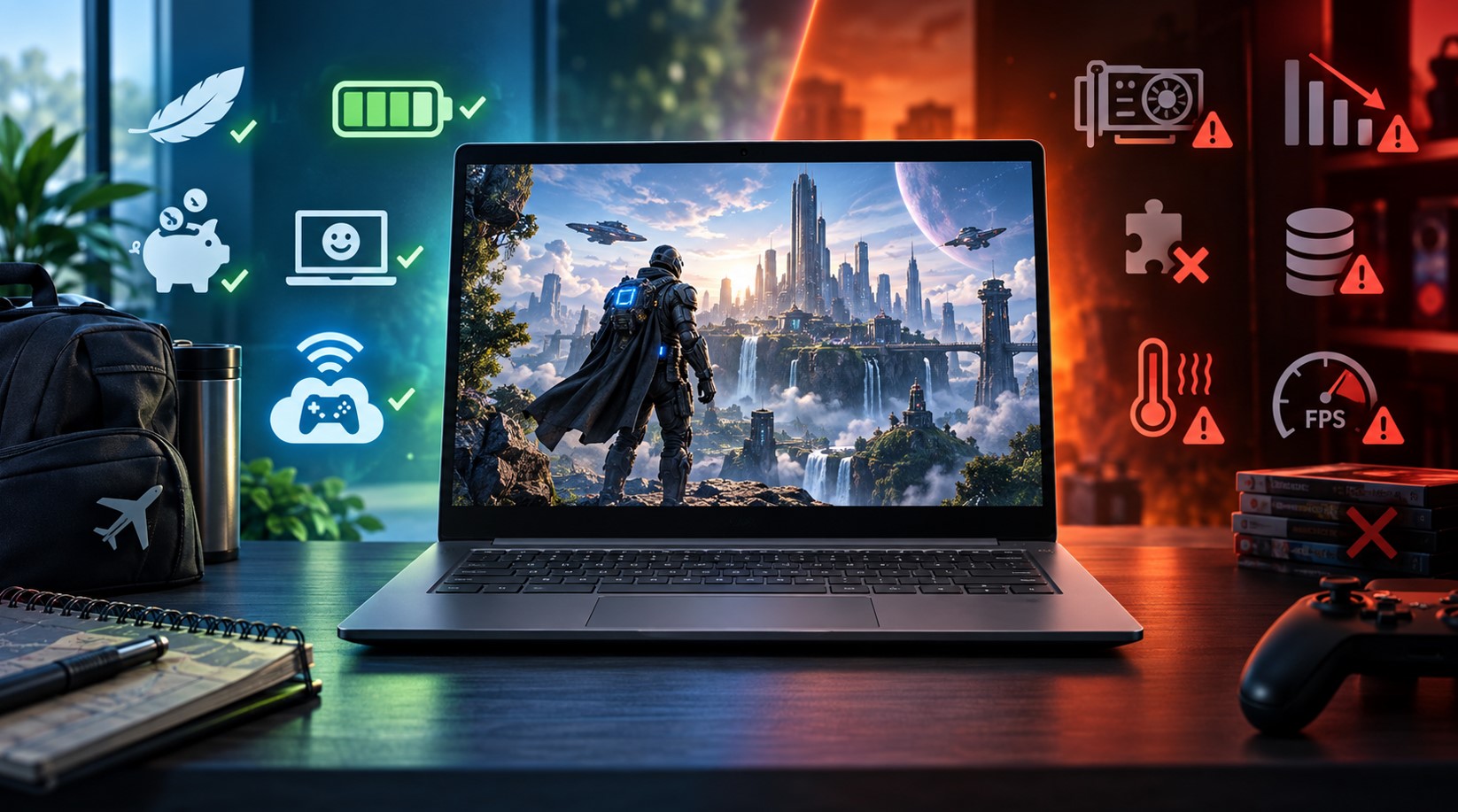
Five genuine advantages, each with the catch attached, because a pro without its trade-off is marketing.
| Advantage | The Catch |
|---|---|
| A $350 machine streams the same game as a $2,500 one | Only while the connection holds |
| Zero install time, zero storage pressure | You never actually own the install |
| Runs cool and quiet under load | Because it isn’t doing the work |
| Excellent battery life during play | Wi-Fi is the drain, not the GPU |
| No driver updates, no shader compilation, no crashes from overheating | No mods, no console commands, no file edits |
The first row is the whole pitch and it’s more compelling than skeptics admit. Because the Chromebook is only decoding a video feed, its weak internal hardware genuinely stops mattering for visual fidelity. A budget machine streaming a graphically brutal title looks identical to an expensive one streaming the same title. That’s not a compromise – it’s a category difference from how local hardware works.
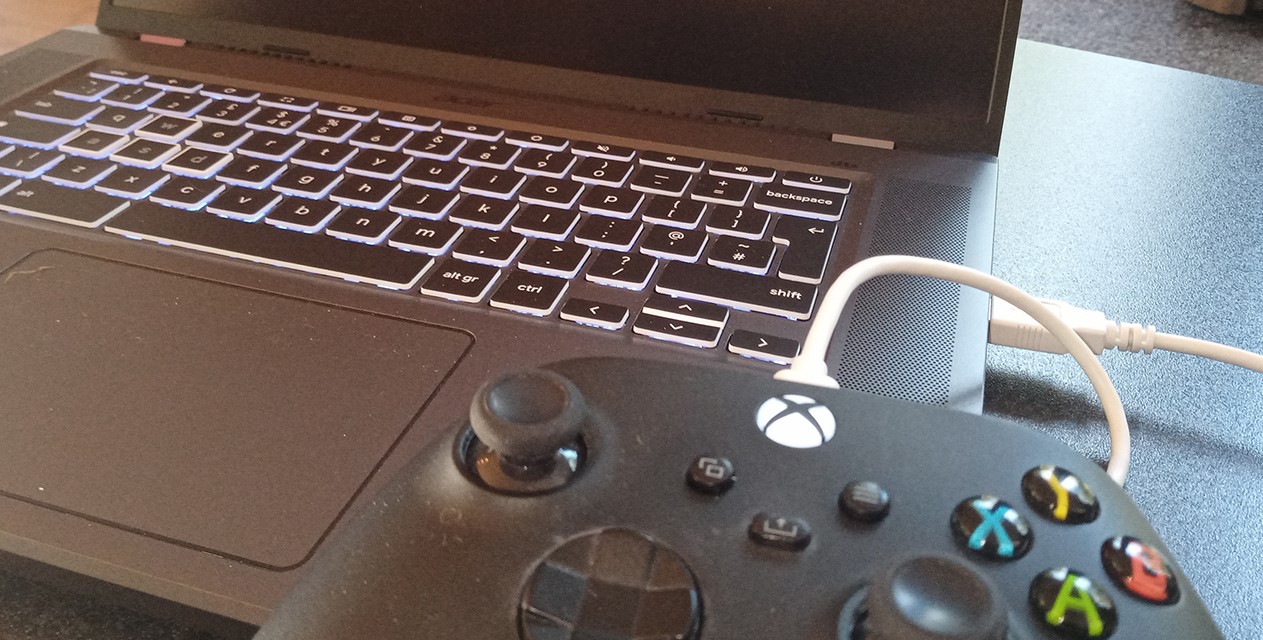
GeForce NOW’s Ultimate tier is the clearest example of how far this has come. NVIDIA rolled Blackwell-generation RTX 5080-class servers into its data centers, bringing DLSS 4 with Multi Frame Generation to supported cloud titles, and it pushed the ceiling to 4K at 120 frames per second – 5K on supported ultrawide displays – or 1080p at very high frame rates for competitive play. Pricing held at $19.99 a month through that upgrade rather than gaining a premium tier.
Think about what that means. A three-hundred-dollar Chromebook paired with a twenty-dollar subscription is streaming from hardware that costs more than the laptop and the subscription combined, several times over.
Pros and Cons of Chromebook for AAA Games on Battery and Budget
This is the argument that actually convinces people, and it’s rarely made properly.
A gaming laptop playing a AAA title locally is a small furnace. Fans at full tilt, thermal throttling after twenty minutes, and a battery that lasts roughly ninety minutes unplugged if you’re lucky. That’s the physics of running a discrete GPU in a thin chassis.
A Chromebook streaming the same game is decoding video. The workload is closer to watching a YouTube stream than rendering a scene. Fans stay quiet, the chassis stays cool, and you can genuinely play on a couch or a train without hunting for an outlet.
On price, the gap is stark. Solid Chromebooks sit in the $300 to $700 range. Gaming laptops that can handle current AAA titles at decent settings start north of $1,200 and climb fast. Even factoring in three years of a cloud subscription, the total cost of ownership favors the Chromebook by a wide margin.
And there’s a maintenance dimension nobody mentions. No GPU driver updates that break things. No shader compilation stutter. No 90GB patch downloads eating your storage. You click a game and it starts in seconds.
The Case Against
Now the other column, with what you can actually do about each item.
| Problem | Mitigation |
|---|---|
| No native PC gaming at all since January | None. This is permanent. |
| Everything depends on your connection | Wired ethernet, or Wi-Fi 6 at minimum |
| Input latency is real, even at its best | Fine for singleplayer, poor for competitive |
| Compression artifacts in dark or fast scenes | Higher tier, better connection, still present |
| Publishers pull games from cloud services | Check the catalog before subscribing |
| Modding is off the table entirely | Only Shadow-style full-desktop services allow it |
| Subscription stacking gets expensive | Pick one service, resist collecting them |
| GeForce NOW’s 100-hour monthly cap | Extra 15-hour blocks, or a different service |
That last row is newer than most guides mention. NVIDIA introduced a monthly playtime cap on paid tiers from January 2026. Analysis from mid-year suggested it affects roughly 6% of players, so it’s a non-issue for most people – but if you’re putting in three-plus hours daily, you’ll hit it. Additional 15-hour blocks are purchasable, and a limited number of unused hours carry forward.
The latency point deserves honesty rather than dismissal. Cloud gaming latency in 2026 is genuinely good for single-player experiences. It is not good enough for ranked Counter-Strike or Rocket League at any serious level, and anyone who tells you otherwise hasn’t played both back to back. The delay is small but it’s there, and in games where reaction time is the skill being tested, small is still disqualifying.
Pros and Cons of Chromebook for AAA Games on a Bad Connection
Here’s the part that determines everything, and it’s worth being brutal about.
- Latency matters more than bandwidth. A 500 Mbps connection with erratic ping is worse than a stable 40 Mbps one.
- Wired Ethernet beats everything. Several gaming Chromebooks shipped with ports or adaptor support specifically for this reason.
- Wi-Fi 6 or newer is the practical floor if you can’t go wired.
- Shared household connections wreck sessions. Someone else streaming 4K in the next room will show up in your frame pacing.
- Corporate, school, and hotel networks frequently block or throttle cloud gaming traffic outright.
- Rural and mobile connections generally won’t cut it, regardless of the advertised speed
And then the absolute wall: offline means nothing. No flight, no train through a tunnel, no power cut, no ISP outage. A gaming laptop with local installs plays fine on a plane. A Chromebook plays Android games and that’s it.
If you regularly play somewhere without reliable internet, stop reading the pros column. The answer is no.
Cross-Examination: Three Claims That Don’t Hold Up
Some things get repeated constantly in this discussion and deserve pushback.
- “Android games on a Chromebook count as AAA.” They don’t. Modern mobile titles are impressive and some rival console production values, but a Play Store install is a fundamentally different product from a current-gen PC release. Treating them as equivalent muddies the comparison.
- “Linux on ChromeOS still lets you game.” The Crostini container still exists and still runs native Linux software, including some indie titles. What it no longer does is run Windows games through Proton, because that was the Steam beta and the Steam beta is gone.
- “Cloud gaming is basically local now.” Close, but not equal. Compression artifacts still appear in dark scenes and fast camera movement, and the input delay is measurable. It’s excellent. It is not identical, and pretending otherwise sets people up for disappointment.
The Hardware That Still Matters
Even in a streaming-only world, not every Chromebook is equal – the spec priorities just change completely.
- Screen refresh rate is the headline spec. The cloud-gaming Chromebook line launched with 120Hz panels specifically because that’s the ceiling the top streaming tiers can feed.
- Networking hardware beats processor speed. Wi-Fi 6 or 6E support does more for your experience than a faster chip.
- Chromebook Plus certification is the useful baseline – Intel 12th Gen or equivalent, 8GB RAM, 128GB storage.
- A decent panel matters more than usual, because compression looks worse on a bad screen.
- Speakers and a headphone jack that doesn’t hiss, since you’re not getting a dedicated audio solution.
What you can safely ignore: storage capacity beyond the basics, and any marketing about discrete graphics, because there aren’t any Chromebooks with meaningful GPUs and there won’t be.
What the Android Merger Might Change
There’s a wildcard on the horizon worth knowing about.
Google confirmed it’s merging ChromeOS and Android into a single platform – Android Ecosystem President Sameer Samat said so publicly at Qualcomm’s Snapdragon Summit in September 2025. The internal name is Aluminium OS, and a leaked video surfaced in January showing it running on high-end x86 Chromebook hardware, not just ARM.
The timeline is wobbly, though. Court filings from the Epic antitrust proceedings suggested commercial trusted testers would get early access in late 2026, with a wider rollout closer to 2028. ChromeOS itself continues for enterprise and education in the meantime, and Google’s ten-year update commitment for Chromebooks means existing devices aren’t going anywhere.
Could this fix local gaming? Possibly, eventually. An Android foundation means Android’s graphics stack and its game ecosystem arrive natively rather than through virtualization. If mobile silicon keeps improving at its current rate, a future Googlebook-class device might genuinely run things locally.
But that’s a 2028-ish proposition at best, and buying hardware today against a promise like that is a bad idea. Buy for what the machine does now.
The Verdict, by Who You Are
Student on a budget with campus Wi-Fi: strong yes, with a caveat. Campus networks often block cloud gaming traffic, so verify before committing to a subscription.
Someone who already owns a Steam library and a good home connection: genuinely excellent fit. GeForce NOW streams games you already own, so you’re not rebuying anything.
Competitive player: no. Not a close call. The latency floor is above what ranked play tolerates.
Modder, tinkerer, or anyone who edits config files: no, unless you go the Shadow route and rent an entire Windows desktop – at which point you’re paying more and should ask why you’re not just buying a PC.
Traveler who plays on planes and in hotels: no. Offline capability is the requirement and this is the one thing a Chromebook categorically cannot provide.
Second machine alongside a desktop: ideal, actually. This is arguably the best use case nobody markets – a cheap, light, cool, long-battery laptop that can stream your existing library from the sofa.
FAQ
Can a Chromebook run AAA games natively?
No. Google ended the Steam for Chromebook beta on January 1, 2026, and installed games stopped working on that date.
What’s the best way to play AAA games on one?
Cloud streaming. GeForce NOW works with games you already own, Xbox Cloud Gaming bundles a library, and Boosteroid runs entirely in a browser.
How fast does my internet need to be?
Stability matters more than raw speed. Around 35 Mbps with consistent latency is the practical target for the top tiers; wired is far better than wireless.
Is there a playtime limit?
GeForce NOW’s paid tiers have carried a 100-hour monthly cap since January 2026, with extra hours purchasable in blocks.
Can I still install Linux games?
Yes, the Crostini container still runs native Linux software. It just can’t run Windows games through Proton anymore.
Will Aluminium OS bring local gaming back?
Unclear. Trusted-tester access was pointed at late 2026 with wider rollout nearer 2028, so don’t buy on that basis.
Should I get a gaming Chromebook specifically?
If you’re streaming, a high refresh rate panel and strong Wi-Fi matter far more than the processor.
One Question Decides It
Strip away the specs and the subscription comparisons, and it comes down to a single thing: is your internet reliable where you actually play?
If yes, a Chromebook is a startlingly good AAA gaming machine for the money, and the cost gap against a gaming laptop is large enough to fund years of subscription with change left over. If no, no amount of clever hardware choice fixes it, because the games aren’t on your laptop and never will be.
That’s a less satisfying answer than “buy this model,” but it’s the true one. The pros and cons here aren’t really about the Chromebook at all. They’re about your router.
P.S. Bookmark this post if you’ve liked reading up to this point, since the Aluminium OS transition will rewrite half of this within two years and we revise rather than replace. And if creative or commercial collaboration is what brought you here, write to the BandurArt team directly – we respond locally; no streaming required.